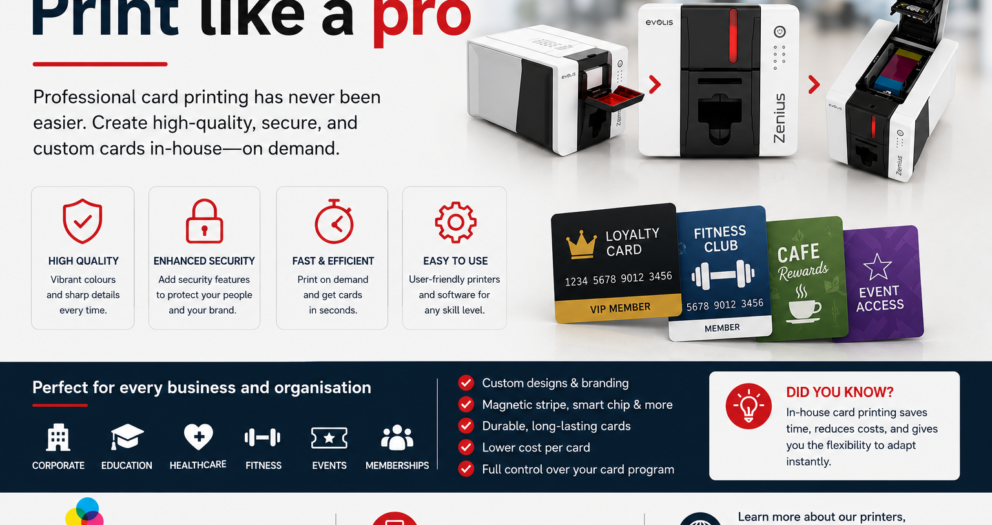
Professional ID cards are no longer just simple name badges. For many organisations, they are an important part of security, branding, access control, visitor management, membership, and daily operations. Whether you manage a school, office, healthcare facility, club, retail store, event venue, or government organisation, having clear and durable ID cards helps people identify staff, students, members, contractors, and guests quickly.This is where choosing the rightid card printermakes a real difference. Instead of waiting for outsourced card orders, correcting delays, or paying every time a replacement card is needed, organisations can print high-quality cards in-house whenever required. With the right printer for plastic cards, you can create professional, secure, and customised cards that suit your exact needs.For New Zealand organisations looking for reliable card printing solutions, InteractCard NZ offers a wide range of card printers, ribbons, blank plastic cards, cleaning kits, software, and accessories to support complete ID card production from start to finish.
Why Your Organisation Needs Better ID Cards
ID cards are often one of the first things people notice in a professional environment. A well-designed card gives confidence, improves trust, and helps create a more organised workplace. Poor-quality cards, faded printing, unclear photos, or damaged badges can make identification harder and reduce the professional image of your organisation.Upgrading your ID cards can help with:
Faster staff and visitor identification
Better workplace security
Improved brand presentation
Easier access control
More professional membership and loyalty cards
Quick replacement of lost or damaged cards
Better management of temporary passes and event badges
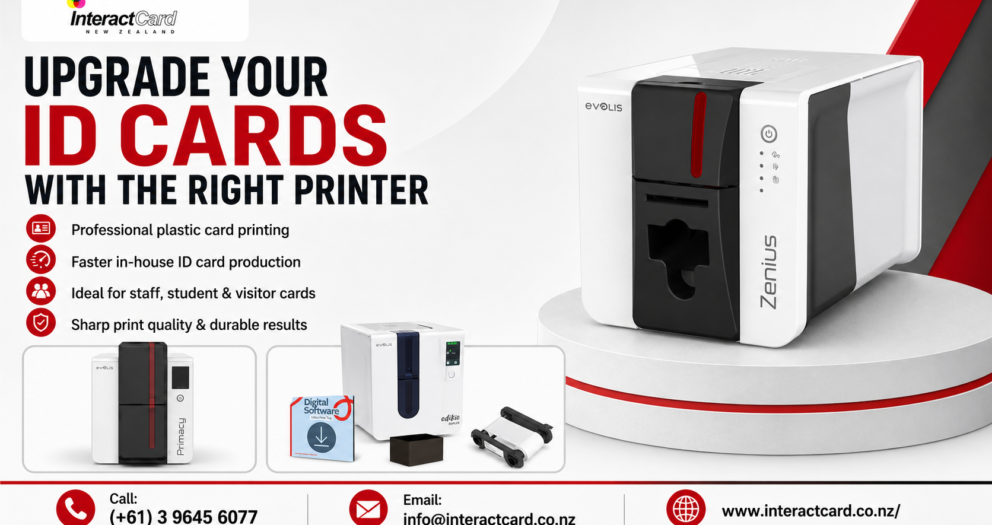
For businesses, schools, and organisations that regularly issue cards, investing in a plastic card printer can be more practical than outsourcing. You stay in control of the design, printing schedule, card quantity, and card information.
What Is a Printer for Plastic Cards?
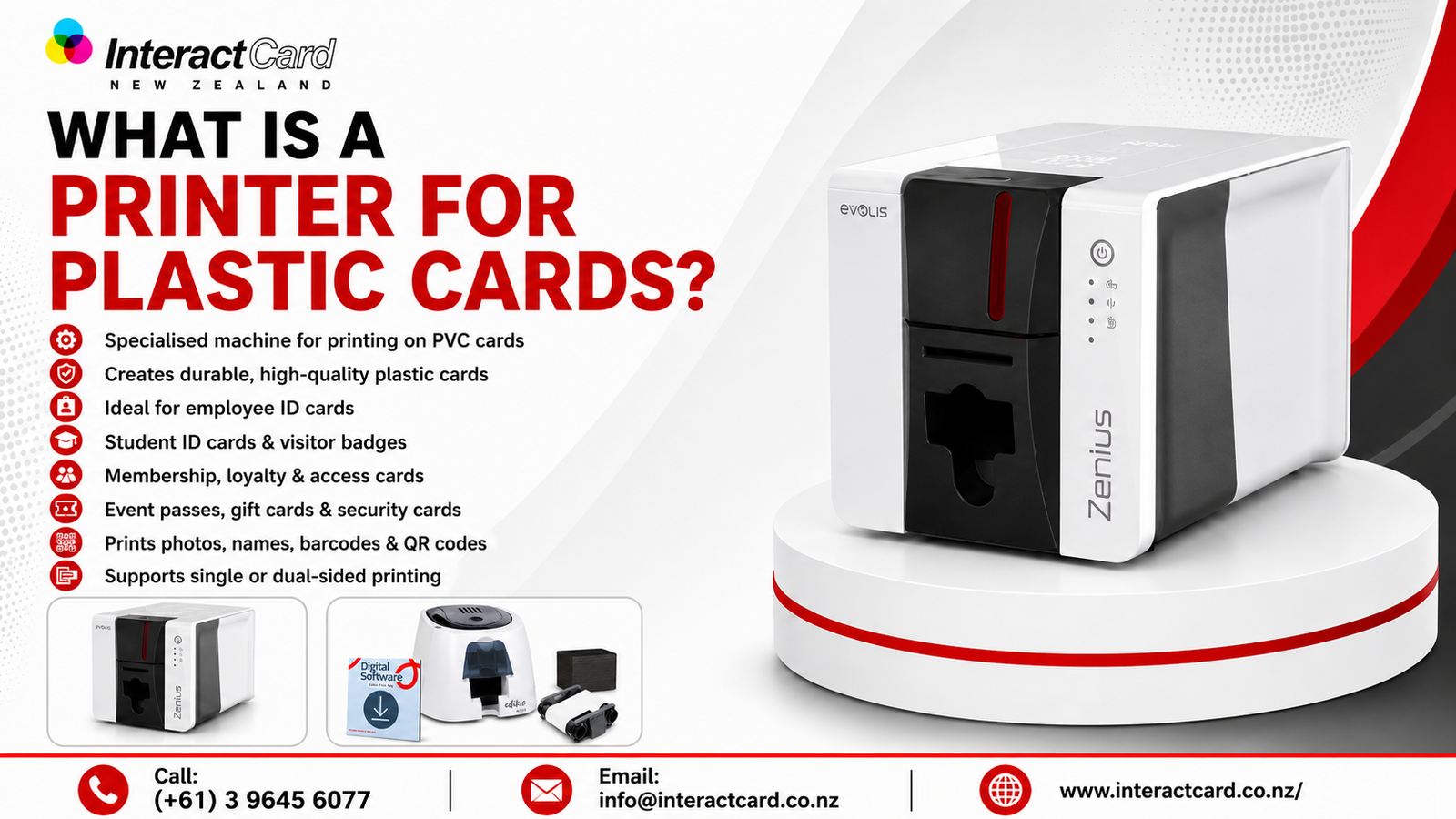
A printer for plastic cards is a specialised machine designed to print directly onto PVC or compatible plastic cards. Unlike a standard paper printer, it uses specific card printing technology, ribbons, and software to create durable, high-quality cards.These printers are commonly used for:
Employee ID cards
Student ID cards
Visitor badges
Membership cards
Loyalty cards
Access control cards
Event passes
Gift cards
Food labels and price tags
Security cards
A professional card printer can print photos, names, logos, barcodes, QR codes, serial numbers, expiry dates, and other important details. Depending on the model, it may also support single-sided printing, double-sided printing, magnetic stripe encoding, contact chip encoding, contactless technology, UV security effects, or lamination.
Benefits of Printing ID Cards In-House
Outsourcing may seem convenient at first, but it can create delays and additional costs over time. If your organisation regularly needs new cards, reprints, or temporary passes, in-house printing gives you more flexibility.
Key Benefits
Benefit
How It Helps Your Organisation
Faster card production
Print new and replacement cards on demand
Better control
Update designs, photos, and details anytime
Cost efficiency
Reduce ongoing outsourcing and reprint costs
Professional quality
Produce sharp, branded, durable plastic cards
Improved security
Add barcodes, QR codes, encoding, or visual security features
Flexibility
Print staff cards, visitor passes, memberships, and event badges as needed
With an in-house id card printer, your team does not have to wait days or weeks for small batches. You can respond quickly when a new employee starts, a student loses a card, or an urgent visitor badge is required.
Choosing the Right Plastic Card Printer
Not every card printer is the same. The best option depends on your print volume, card design, security needs, and budget. Before buying a plastic card printer, consider how your organisation will use it day to day.
1. Print Volume
A small office, club, or reception desk may only need a compact printer for low to medium card volumes. A larger school, university, transport provider, or membership organisation may need a faster printer with a larger card feeder and higher output capacity.
2. Single-Sided or Double-Sided Printing
Single-sided cards are suitable when you only need basic details such as a photo, name, job title, logo, and ID number. Double-sided cards are useful when you want to include extra details on the back, such as emergency contact information, access rules, return instructions, QR codes, or membership terms.
3. Security Features
If your cards are used for access control, secure areas, or identity verification, you may need advanced features such as magnetic stripe encoding, smart chip integration, contactless card technology, UV printing, or lamination.
4. Software and Ease of Use
Good card design software makes it easier to create professional layouts, add logos, import data, and print cards accurately. A user-friendly printer also helps reduce mistakes and training time.
InteractCard NZ Product and Service Range
InteractCard NZ provides card printing solutions for different business sizes, industries, and card printing needs. Their range includes compact entry-level printers, professional desktop printers, high-security card printers, retransfer printers, bureau-level printers, card printer supplies, design software, and ID accessories.
Popular Card Printer Options
Printer Range
Best Suited For
Zenius 2 Card Printer
Small to medium card volumes, staff IDs, visitor badges, membership cards
Primacy 2 ID Card Printer
Fast, flexible, secure, professional card production
Badgy Badge Printer
Simple badge and card printing for small organisations and events
Agilia Retransfer Printer
High-quality printing for more advanced card requirements
Avansia Retransfer Printer
Premium card quality and secure card production
Primacy Lamination Printer
Cards requiring extra durability and protection
Quantum 2 Bureau Card Printer
Higher-volume card printing environments
Edikio Price Tag & Label Printer
Food labels, price tags, and retail display cards
The Zenius 2 is a strong choice for organisations that want a compact and efficient printer for everyday card production. It is suitable for employee IDs, student cards, visitor badges, membership cards, loyalty cards, and access cards. For organisations needing higher performance and advanced upgrade options, the Primacy 2 offers flexibility with features such as double-sided printing, larger feeder options, encoding modules, and security-focused technology.
Supplies That Support Better Card Printing
A printer is only one part of the card printing setup. To keep your cards looking professional, you also need the right consumables and accessories.InteractCard NZ supplies:
Blank plastic cards
Evolis printer ribbons
Zenius 2 ribbons
Primacy and Primacy 2 ribbons
Cleaning kits
Card design software
Lanyards
ID card holders
Clips, straps, and magnets
Retractable reels
Pre-printed plastic cards
Magnetic stripe readers
New Zealand standard AC power plug accessories
Using compatible ribbons and cleaning kits is important because it helps protect the printer, maintain print quality, and reduce avoidable card defects. Regular cleaning can also support longer printer life and more consistent results.
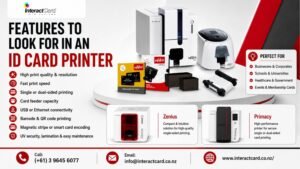
Features to Look for in an ID Card Printer
When comparing options, focus on features that match your organisation’s real needs rather than choosing based only on price.
Important Features Include:
Print quality and resolution
Print speed
Single or dual-sided printing
Card feeder capacity
USB or Ethernet connectivity
Windows and Mac compatibility
Card design software
Barcode and QR code printing
Magnetic stripe or smart card encoding
UV overlay or security printing
Rewritable card support
Lamination options
Easy maintenance and cleaning
A professional id card printer should make daily printing easier, not more complicated. The right printer should fit your workflow, available space, print volume, and staff skill level.
Why Choose InteractCard NZ?
Choosing the right supplier is just as important as choosing the right printer. InteractCard NZ offers more than just card printers. They provide a complete range of card printing products and support options, making it easier for organisations to build a reliable card printing system.
Advantages of Choosing InteractCard NZ
InteractCard NZ is a strong choice for organisations because it offers:
A wide range of Evolis card printers
Printer ribbons and consumables
Blank plastic cards and accessories
Card design software options
Product support centre resources
How-to video guidance
Solutions for staff IDs, student cards, loyalty cards, access cards, and event badges
Printer options for small, medium, and high-volume card printing needs
This makes InteractCard NZ suitable for many industries, including education, retail, hospitality, events, healthcare, corporate offices, clubs, and membership-based organisations.
Who Should Upgrade Their ID Card Printing Setup?
Upgrading to a professional card printer is useful for any organisation that needs better control, speed, and quality in card production.It is especially valuable for:
Schools and Universities
Educational institutions can print student cards, staff IDs, library cards, access cards, and temporary passes quickly.
Businesses and Offices
Companies can create professional employee ID cards, contractor badges, and visitor passes that support workplace security.
Retail and Hospitality
Retailers, cafés, restaurants, and hospitality businesses can print loyalty cards, membership cards, gift cards, staff badges, and food price labels.
Events and Clubs
Event organisers and clubs can produce event passes, VIP badges, membership cards, and temporary access cards without depending on outside suppliers.
Security and Access Control Teams
Security-focused organisations can print cards with photos, barcodes, QR codes, encoded data, or additional security features.
Final Thoughts
Upgrading your ID cards starts with choosing the right printing solution. A reliable printer for plastic cards gives your organisation the freedom to print professional cards whenever they are needed. It improves security, saves time, supports branding, and gives your team full control over card production.Whether you need a compact card printer for everyday ID cards or a high-performance plastic card printer for advanced security and larger volumes, InteractCard NZ offers a complete range of solutions to suit different needs.From Zenius 2 and Primacy 2 printers to ribbons, blank cards, cleaning kits, software, and accessories, InteractCard NZ helps organisations create better, stronger, and more professional ID cards with confidence.
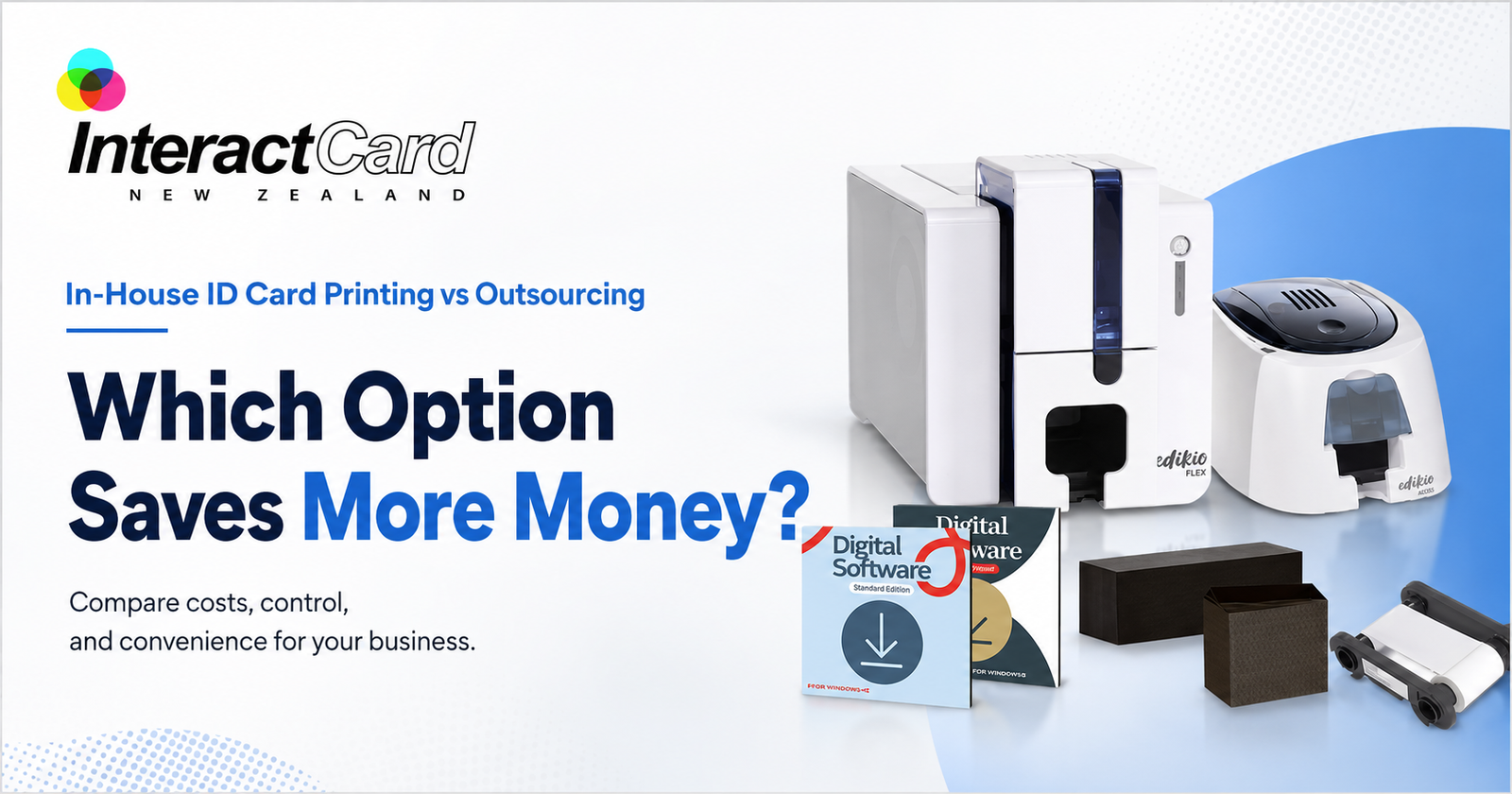
For many organisations, staff ID cards, visitor badges, access cards, membership cards, and student cards are part of everyday operations. They help identify people, protect workplaces, improve brand presentation, and support access control. But when it comes to producing these cards, many businesses face one important question: should you buy an id card printer or continue outsourcing card printing?At first, outsourcing may look simple. You send card details to a supplier, wait for printing, and receive finished cards. However, as your organisation grows, outsourcing can become slower, more expensive, and less flexible. On the other hand, investing in an in-house identity card printer gives your business more control, faster turnaround, and long-term cost benefits.This guide compares in-house ID card printing with outsourcing, explains which option saves more, and shows how InteractCard can help New Zealand and Australian organisations produce professional cards with confidence.
Why Businesses Need Professional ID Cards
Professional ID cards are not just about appearance. They support identity, safety, access, and trust. Whether you run a school, office, healthcare facility, club, retail store, government department, construction site, or event business, clear identification helps daily operations run smoothly.A professional ID card can be used for:
Staff identification
Visitor management
Student ID cards
Access control
Contractor passes
Membership cards
Loyalty cards
Event access cards
Security ID cards
RTO induction cards
InteractCard lists many ID card printer applications, including employee staff ID cards, student and staff ID cards, security ID cards, exhibition access cards, RTO induction cards, casino and club loyalty cards, and food labels or price tags.
What Is Outsourced ID Card Printing?
Outsourced ID card printing means your organisation depends on an external company to design, print, and deliver your cards. You usually provide staff details, photos, card design instructions, and quantities. The supplier then prints the cards and sends them back to you.This can work well for one-time large batches. For example, if you need thousands of cards printed once and do not expect regular updates, outsourcing may be convenient.However, many businesses do not only print cards once. They need new staff IDs, replacement badges, contractor passes, visitor cards, and access updates throughout the year. This is where outsourcing can become costly and slow.
What Is In-House ID Card Printing?
In-house ID card printing means your organisation owns and operates its own id badge printer or card printer system. You can print cards whenever you need them, directly from your office, reception area, HR department, school administration office, or security desk.With an in-house id card printer, you can print:
New employee ID cards
Replacement cards
Temporary visitor badges
Contractor passes
Student cards
Club membership cards
Access control cards
Loyalty cards
Event badges
For example, InteractCard’s Zenius 2 Card Printer is suitable for producing employee ID cards, student cards, visitor badges, membership cards, loyalty cards, and access control cards. Its compact design makes it suitable for offices, reception desks, retail counters, and self-service terminals.
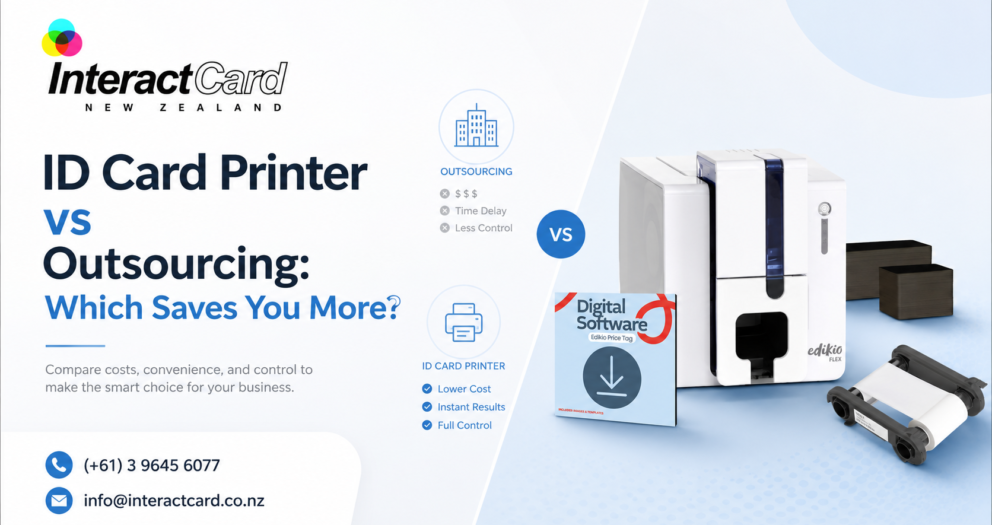
ID Card Printer vs Outsourcing: Quick Comparison
Factor
Outsourcing ID Cards
In-House ID Card Printer
Turnaround time
Can take days or longer
Cards can be printed immediately
Replacement cards
Requires another order
Quick and easy
Data control
Staff data is shared externally
Data stays inside your organisation
Design flexibility
Changes may cost extra
Designs can be updated anytime
Small print runs
Often less cost-effective
Practical for small batches
Long-term cost
Ongoing supplier charges
Better value for regular printing
Branding consistency
Depends on supplier output
Fully controlled by your team
Emergency printing
Limited flexibility
Ideal for urgent needs
Visitor and contractor cards
May not be practical
Easy to print on demand
Security control
Less internal control
Stronger internal process
For businesses that need cards regularly, in-house printing often delivers better long-term value.
Which Option Saves More Money?
The answer depends on how often your organisation prints cards. If you only need a very small number of cards once every few years, outsourcing may be enough. But if you regularly print staff IDs, visitor cards, student cards, membership cards, or replacement badges, buying an identity card printer can save more over time.Outsourcing costs can include:
Card design charges
Printing fees
Setup fees
Minimum order quantities
Delivery charges
Extra charges for urgent orders
Reprint costs for mistakes
Replacement card fees
In-house printing has an upfront cost, but after that, your main ongoing costs are blank cards, ribbons, cleaning kits, and accessories. This makes it easier to control expenses, especially when you print cards often.InteractCard provides the supplies needed for in-house printing, including blank plastic cards, cleaning kits, Evolis printer ribbons, printer travel bags, Quantum 2 ribbons, and card design software options such as Cardpresso, Edikio Price Tag Software, eMedia, and ID-ALL.
The Hidden Cost of Waiting
Cost is not only about money. Time is also a major factor.When a new employee starts work, they often need an ID card immediately. If the card is outsourced, the employee may have to wait. This can create problems with access, security, and onboarding. The same problem happens when a staff member loses a badge or a contractor needs urgent site access.With an in-house id badge printer, your team can issue a card in minutes instead of waiting for external production.This is especially useful for:
HR teams onboarding new staff
Schools issuing student IDs
Healthcare centres managing staff badges
Security teams replacing lost cards
Clubs creating membership cards
Events printing access badges
Construction sites issuing contractor cards
Retailers producing loyalty cards
In many workplaces, the ability to print instantly is more valuable than it first appears.
Data Security: A Major Advantage of In-House Printing
Staff ID cards often contain personal information such as names, photos, employee numbers, access levels, and department details. When you outsource printing, this information must be shared with a third party.For some organisations, that may not be ideal. Schools, healthcare providers, government departments, security companies, and corporate offices often prefer to keep identity data internal.An in-house id card printer gives your organisation better control over sensitive data. Your team manages the card design, staff details, printing process, and issuing process from start to finish.
In-house printing supports better security by allowing you to:
Keep staff information internal
Print cards only when approved
Replace lost cards quickly
Update access details faster
Control who can print cards
Manage temporary and visitor cards
Reduce unnecessary data sharing
For organisations that take privacy and security seriously, this is a strong reason to stop relying fully on outsourcing.
Choosing the Right ID Card Printer
The best printer depends on your card volume, security needs, print quality expectations, and budget. InteractCard offers a wide range of ID card printer options to suit different business requirements.
Zenius and Zenius 2 ID Card Printers
The Zenius 2 is a compact and efficient solution for organisations that need reliable, high-quality ID card printing. InteractCard describes it as ideal for small to medium card printing volumes, with professional single-sided card printing, speed, and precision.This type of printer is suitable for:
Small businesses
Reception desks
Retail counters
Schools
Membership organisations
Visitor badge printing
Basic staff ID cards
Primacy2 ID Card Printer
For organisations needing higher performance, the Evolis Primacy2 is a strong option. InteractCard describes the Primacy2 as a premium desktop ID card printer designed for fast, secure, and high-quality plastic card production. It also supports upgrade options such as magnetic stripe encoding, smart chip integration, and contactless card technology.This makes Primacy2 suitable for:
Medium to large businesses
Access control cards
Secure staff IDs
Membership cards
Student cards
Visitor cards
Organisations needing future upgrade options
Primacy Lamination, Avansia, and Advanced Options
For cards that need extra durability or security, lamination and retransfer printers are useful. InteractCard lists options such as Primacy Lamination, Agilia Retransfer, Avansia Retransfer, Avansia Lamination, Quantum 2 Bureau Card Printer, KIOSK ID Card Printers, and Badgy Label & Badge Printer.These advanced options are suitable for high-use cards, premium printing, and secure environments.
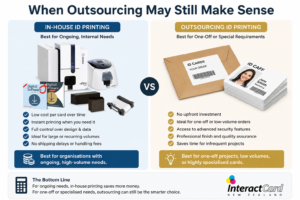
When Outsourcing May Still Make Sense
Outsourcing is not always wrong. It can still be useful in certain situations.Outsourcing may suit your organisation if:
You only need cards once
You need a very large batch with no personalisation changes
You do not want to manage any equipment
You have no regular need for replacements
Your cards do not contain sensitive data
Turnaround time is not important
However, for most organisations that print IDs regularly, outsourcing becomes less flexible over time.
When an ID Card Printer Saves More
An in-house identity card printer usually saves more when your organisation has ongoing card needs.It is especially valuable when:
You hire new staff regularly
Cards are lost or damaged often
You manage contractors or visitors
You need student or membership cards
You run events or temporary access programs
You need quick replacement cards
You want stronger data control
You want consistent branding
You need access card features
You want to reduce supplier dependency
In these situations, the printer becomes a practical business tool rather than just a printing device.
Product and Service Range from InteractCard
InteractCard provides a complete range of card printing solutions for New Zealand and Australian businesses. Instead of only buying a printer, customers can source printers, ribbons, blank cards, software, accessories, and support from one specialist supplier.
InteractCard product range includes:
Zenius ID Card Printer
Zenius 2 Card Printer
Primacy2 ID Card Printer
Edikio Price Tag & Label Printer
Primacy ID Card Printer
Primacy Lamination Card Printer
Agilia Retransfer ID Card Printer
Avansia Retransfer ID Card Printer
Avansia Lamination Card Printer
Quantum 2 Bureau Card Printer
KIOSK ID Card Printers
Badgy Label & Badge Printer
Blank plastic cards
Evolis printer ribbons
Cleaning kits
Card design software
ID card holders
Lanyards
Clips, straps, and magnets
InteractCard’s website lists card printer supplies such as blank plastic cards, cleaning kits, Evolis printer ribbons, printer travel bags, and Quantum 2 ribbons, along with ID accessories including card holders, lanyards, clips, straps, magnets, and other related items.
Why Choose InteractCard?
Choosing an id card printer is not only about buying a machine. It is about choosing the right solution for your organisation’s real needs. InteractCard is a strong choice because it focuses on card printing systems and related supplies.
1. Specialist knowledge
InteractCard understands ID card printing, badge printing, plastic cards, printer ribbons, card software, and accessories. This helps customers choose a system that fits their card volume, budget, and security needs.
2. Wide range of printer options
Whether you need a compact id badge printer for simple staff cards or a more advanced printer for secure access cards, InteractCard offers a range of Evolis printer solutions.
3. Supplies and accessories in one place
A printer needs compatible ribbons, blank cards, cleaning kits, software, holders, and lanyards. InteractCard makes it easier to build a complete card printing setup from one supplier.
4. Solutions for many industries
InteractCard supports businesses, schools, clubs, events, healthcare providers, government offices, retail stores, and secure workplaces with card printing solutions for different applications.
5. Support for professional and secure cards
With printer options that support encoding, lamination, and high-quality output, InteractCard helps organisations produce cards that look professional and work reliably.
Final Verdict: Which Saves You More?
If your organisation only needs a small one-time batch of cards, outsourcing may be acceptable. But for businesses that need regular staff IDs, visitor badges, contractor cards, student cards, membership cards, or access cards, an in-house id card printer is usually the smarter long-term investment.An in-house identity card printer saves more than money. It saves time, reduces waiting, improves data control, supports faster onboarding, strengthens security, and gives your organisation full control over card design and production.For New Zealand and Australian organisations comparing outsourcing with an id badge printer, InteractCard provides the product range, supplies, software, accessories, and support needed to bring professional card production in-house.With the right printer, your business can stop waiting for external suppliers and start producing professional ID cards whenever they are needed.
Think about the last time you held an employee badge, or membership card, or an access pass. They are sleek and durable as well as perfectly printed. It is not just a piece of plastic. It is a reflection of the identity of a brand. But have you ever wondered how those professional-quality cards are made?The secret lies in card printers. They are powerful machines that turn black PVC cards into branded and personalized ID cards in seconds. Yet, they are highly compact. They redefine how organizations manage access and security, along with visual identity. They are scraped from schools and offices to hotels and retail chains.Gone are those days of outsourcing bulk printing jobs; the present technology allows you to print sharp and vibrant ID cards, as well as badges and passes, right from your desk. It is fast and efficient, along with being entirely on your terms.
Meet the new gen ID card printer: Compact, smart and secure
Modern ID card printers are a far cry from the bulky and slow devices of the past. The next generation printers combine sleek design with intelligent technology. It makes them indispensable tools for businesses of every size.The present printers come equipped with features like dual-sided printing with high-resolution colour output and even smart chip encoding for RFID or magnetic stripe cards. O means your organization can easily manage access control systems and track attendance, along with the issuing of secure employee credentials, all in-house.Some advanced models even offer cloud connectivity or Wifi connectivity. It allows remote printing through secure networks. It may be for educational institutions or a corporate office. An ID card printer gives you complete control over personalization and security, as well as consistency.Think of it as a mini identity factory. It creates professional-quality cards at the press of a button.
Why every business needs reliable badge printers
Picture that you are hosting a corporate event or managing a busy coworking space, or welcoming new employees every week. Would it not be convenient to print name badges or visitor passes instantly? That is exactly what badge printers do.They are designed for quick and on-demand printing. They are ideal for
Conferences
Offices
Gyms
Events where people need identification that is clear and secure as well and professional.
Badge printers also ensure quality beyond speed. They offer crisp colour with long-lasting lamination and customization options that make every badge stand out.A few reasons businesses swear by badge printers.
Instant card creation. No watering or outsourcing delays.
Professional branding with your logo and tagline as well as colour scheme.
Compact design that fits seamlessly into any office setup.
Badge printers are a small investment that delivers big returns in professionalism and security for organizations where first impressions matter.
The power of plastic: Printers built for more than paper
Aprinter for plastic cards uses specialized technology to bond the design directly onto a PVC surface. The results in a glossy and durable finish that resists fading and scratching as well and smudging.Plastic card printers are not just for offices. They are widely used for.
Membership and loyalty cards for gyms and salons, as well as retail stores.
Access and eBay cards for secure facilities.
Gift cards for businesses and brands.
Event passes and ID badges for corporate gatherings.
What makes a printer for plastic cards so powerful is its ability to merge creativity with security. You can embed smart chips and holographic overlays and QR codes. It turns a simple card into a multifunctional access tool. If a paper printer tells your story, a plastic card printer builds your identity.
Choosing the right card printer: What to look for
How do you choose the smart card printer for your needs? Start by asking yourself three simple questions.
How often will you print?
A basic direct-to-card printer works perfectly for small offices or occasional use. And a high capacity printer with faster output and double-sided printing is recommended for large scale operations.
What types of cards do you need?
Ask whether you need standard IDs or magnetic stripes or barcodes, or RFID features. Refractor printers handle complex designs with edge-to-edge precision.
What is your connectivity preference?
USB and Ethernet are standards. But, newer models also support Wifi for f;elxive operation.Do not forget that security matters. Many ID card printers now include encryption options to protect sensitive information during printing. You can achieve high quality and temper reluctant cards that represent your brand professionally when combined with reliable card design software.
Final words
Interactcard NZ has a range that covers compact desktop ID card printers to advanced retriever systems. If you are ready to elevate your brand image and streamline your identification process, choose Interactcard NZ. It is where every print is crafted for performance and clarity, added with impact.

 These printers are commonly used for: