New Zealand ID Card Printer Experts

Search

ID Card Printer vs Outsourcing: Which Saves You More?

ID Card Printer vs Outsourcing: Which Saves You More?

For many organisations, staff ID cards, visitor badges, access cards, membership cards, and student cards are part of everyday operations. They help identify people, protect workplaces, improve brand presentation, and support access control. But when it comes to producing these cards, many businesses face one important question: should you buy an id card printer or continue outsourcing card printing? At first, outsourcing may look simple. You send card details to a supplier, wait for printing, and receive finished cards. However, as your organisation grows, outsourcing can become slower, more expensive, and less flexible. On the other hand, investing in an in-house identity card printer gives your business more control, faster turnaround, and long-term cost benefits. This guide compares in-house ID card printing with outsourcing, explains which option saves more, and shows how InteractCard can help New Zealand and Australian organisations produce professional cards with confidence.

Why Businesses Need Professional ID Cards

Professional ID cards are not just about appearance. They support identity, safety, access, and trust. Whether you run a school, office, healthcare facility, club, retail store, government department, construction site, or event business, clear identification helps daily operations run smoothly. A professional ID card can be used for:
  • Staff identification
  • Visitor management
  • Student ID cards
  • Access control
  • Contractor passes
  • Membership cards
  • Loyalty cards
  • Event access cards
  • Security ID cards
  • RTO induction cards
InteractCard lists many ID card printer applications, including employee staff ID cards, student and staff ID cards, security ID cards, exhibition access cards, RTO induction cards, casino and club loyalty cards, and food labels or price tags.

What Is Outsourced ID Card Printing?

Outsourced ID card printing means your organisation depends on an external company to design, print, and deliver your cards. You usually provide staff details, photos, card design instructions, and quantities. The supplier then prints the cards and sends them back to you. This can work well for one-time large batches. For example, if you need thousands of cards printed once and do not expect regular updates, outsourcing may be convenient. However, many businesses do not only print cards once. They need new staff IDs, replacement badges, contractor passes, visitor cards, and access updates throughout the year. This is where outsourcing can become costly and slow.

What Is In-House ID Card Printing?

In-house ID card printing means your organisation owns and operates its own id badge printer or card printer system. You can print cards whenever you need them, directly from your office, reception area, HR department, school administration office, or security desk. With an in-house id card printer, you can print:
  • New employee ID cards
  • Replacement cards
  • Temporary visitor badges
  • Contractor passes
  • Student cards
  • Club membership cards
  • Access control cards
  • Loyalty cards
  • Event badges
For example, InteractCard’s Zenius 2 Card Printer is suitable for producing employee ID cards, student cards, visitor badges, membership cards, loyalty cards, and access control cards. Its compact design makes it suitable for offices, reception desks, retail counters, and self-service terminals.

ID Card Printer vs Outsourcing: Quick Comparison

Factor Outsourcing ID Cards In-House ID Card Printer
Turnaround time Can take days or longer Cards can be printed immediately
Replacement cards Requires another order Quick and easy
Data control Staff data is shared externally Data stays inside your organisation
Design flexibility Changes may cost extra Designs can be updated anytime
Small print runs Often less cost-effective Practical for small batches
Long-term cost Ongoing supplier charges Better value for regular printing
Branding consistency Depends on supplier output Fully controlled by your team
Emergency printing Limited flexibility Ideal for urgent needs
Visitor and contractor cards May not be practical Easy to print on demand
Security control Less internal control Stronger internal process
For businesses that need cards regularly, in-house printing often delivers better long-term value.
Which Option Saves More Money?

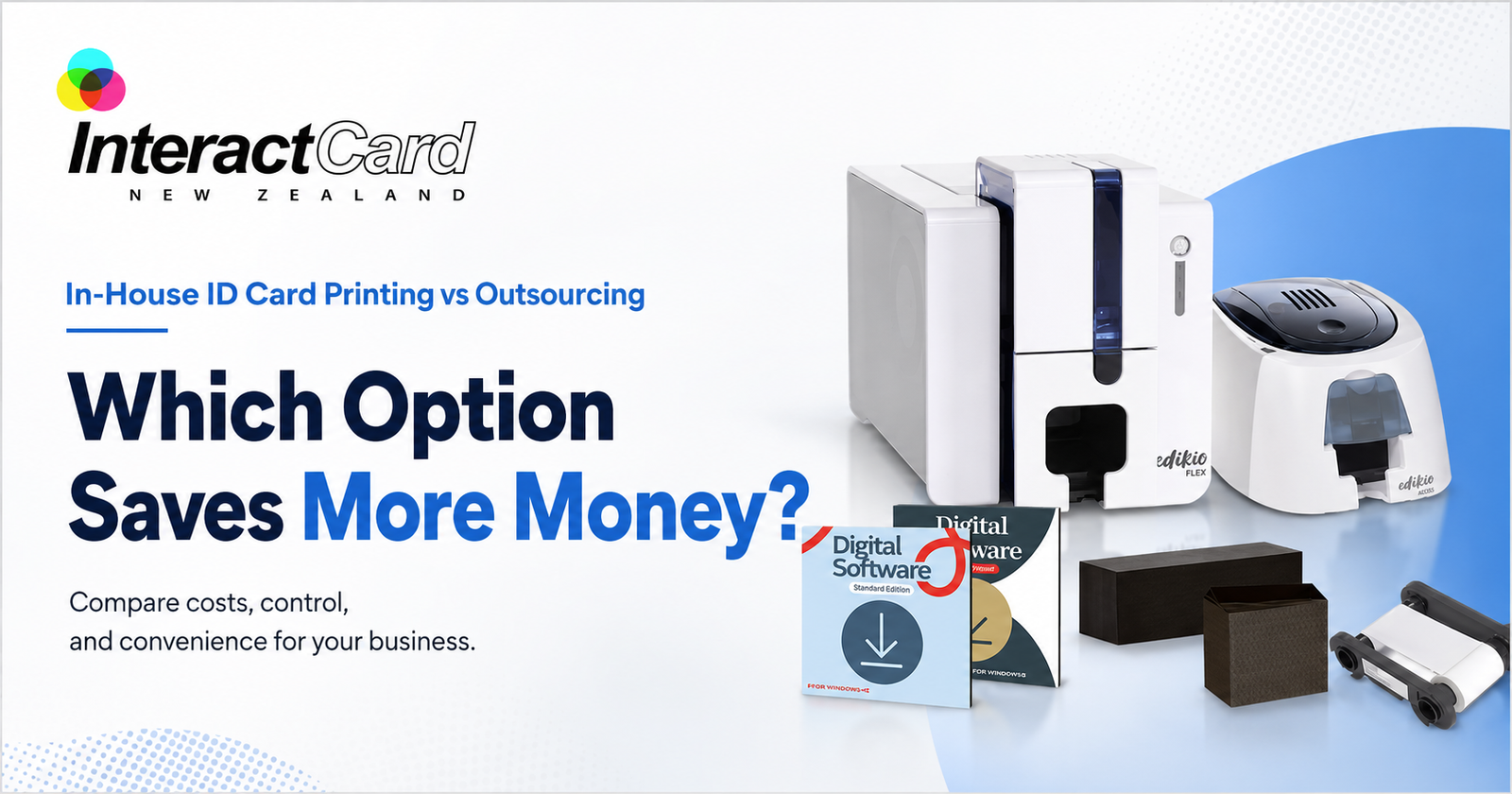
The answer depends on how often your organisation prints cards. If you only need a very small number of cards once every few years, outsourcing may be enough. But if you regularly print staff IDs, visitor cards, student cards, membership cards, or replacement badges, buying an identity card printer can save more over time. Which Option Saves More Money?
Outsourcing costs can include:
  • Card design charges
  • Printing fees
  • Setup fees
  • Minimum order quantities
  • Delivery charges
  • Extra charges for urgent orders
  • Reprint costs for mistakes
  • Replacement card fees
In-house printing has an upfront cost, but after that, your main ongoing costs are blank cards, ribbons, cleaning kits, and accessories. This makes it easier to control expenses, especially when you print cards often. InteractCard provides the supplies needed for in-house printing, including blank plastic cards, cleaning kits, Evolis printer ribbons, printer travel bags, Quantum 2 ribbons, and card design software options such as Cardpresso, Edikio Price Tag Software, eMedia, and ID-ALL.

The Hidden Cost of Waiting

Cost is not only about money. Time is also a major factor. When a new employee starts work, they often need an ID card immediately. If the card is outsourced, the employee may have to wait. This can create problems with access, security, and onboarding. The same problem happens when a staff member loses a badge or a contractor needs urgent site access. With an in-house id badge printer, your team can issue a card in minutes instead of waiting for external production. This is especially useful for:
  • HR teams onboarding new staff
  • Schools issuing student IDs
  • Healthcare centres managing staff badges
  • Security teams replacing lost cards
  • Clubs creating membership cards
  • Events printing access badges
  • Construction sites issuing contractor cards
  • Retailers producing loyalty cards
In many workplaces, the ability to print instantly is more valuable than it first appears.

Data Security: A Major Advantage of In-House Printing

Staff ID cards often contain personal information such as names, photos, employee numbers, access levels, and department details. When you outsource printing, this information must be shared with a third party. For some organisations, that may not be ideal. Schools, healthcare providers, government departments, security companies, and corporate offices often prefer to keep identity data internal. An in-house id card printer gives your organisation better control over sensitive data. Your team manages the card design, staff details, printing process, and issuing process from start to finish.

In-house printing supports better security by allowing you to:

  • Keep staff information internal
  • Print cards only when approved
  • Replace lost cards quickly
  • Update access details faster
  • Control who can print cards
  • Manage temporary and visitor cards
  • Reduce unnecessary data sharing
For organisations that take privacy and security seriously, this is a strong reason to stop relying fully on outsourcing.

Choosing the Right ID Card Printer

The best printer depends on your card volume, security needs, print quality expectations, and budget. InteractCard offers a wide range of ID card printer options to suit different business requirements.

Zenius and Zenius 2 ID Card Printers

The Zenius 2 is a compact and efficient solution for organisations that need reliable, high-quality ID card printing. InteractCard describes it as ideal for small to medium card printing volumes, with professional single-sided card printing, speed, and precision. This type of printer is suitable for:
  • Small businesses
  • Reception desks
  • Retail counters
  • Schools
  • Membership organisations
  • Visitor badge printing
  • Basic staff ID cards

Primacy2 ID Card Printer

For organisations needing higher performance, the Evolis Primacy2 is a strong option. InteractCard describes the Primacy2 as a premium desktop ID card printer designed for fast, secure, and high-quality plastic card production. It also supports upgrade options such as magnetic stripe encoding, smart chip integration, and contactless card technology. This makes Primacy2 suitable for:
  • Medium to large businesses
  • Access control cards
  • Secure staff IDs
  • Membership cards
  • Student cards
  • Visitor cards
  • Organisations needing future upgrade options

Primacy Lamination, Avansia, and Advanced Options

For cards that need extra durability or security, lamination and retransfer printers are useful. InteractCard lists options such as Primacy Lamination, Agilia Retransfer, Avansia Retransfer, Avansia Lamination, Quantum 2 Bureau Card Printer, KIOSK ID Card Printers, and Badgy Label & Badge Printer. These advanced options are suitable for high-use cards, premium printing, and secure environments.

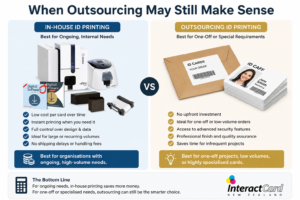
When Outsourcing May Still Make Sense

Outsourcing is not always wrong. It can still be useful in certain situations. When Outsourcing May Still Make Sense
Outsourcing may suit your organisation if:
  • You only need cards once
  • You need a very large batch with no personalisation changes
  • You do not want to manage any equipment
  • You have no regular need for replacements
  • Your cards do not contain sensitive data
  • Turnaround time is not important
However, for most organisations that print IDs regularly, outsourcing becomes less flexible over time.

When an ID Card Printer Saves More

An in-house identity card printer usually saves more when your organisation has ongoing card needs. It is especially valuable when:
  • You hire new staff regularly
  • Cards are lost or damaged often
  • You manage contractors or visitors
  • You need student or membership cards
  • You run events or temporary access programs
  • You need quick replacement cards
  • You want stronger data control
  • You want consistent branding
  • You need access card features
  • You want to reduce supplier dependency
In these situations, the printer becomes a practical business tool rather than just a printing device.

Product and Service Range from InteractCard

InteractCard provides a complete range of card printing solutions for New Zealand and Australian businesses. Instead of only buying a printer, customers can source printers, ribbons, blank cards, software, accessories, and support from one specialist supplier.

InteractCard product range includes:

  • Zenius ID Card Printer
  • Zenius 2 Card Printer
  • Primacy2 ID Card Printer
  • Edikio Price Tag & Label Printer
  • Primacy ID Card Printer
  • Primacy Lamination Card Printer
  • Agilia Retransfer ID Card Printer
  • Avansia Retransfer ID Card Printer
  • Avansia Lamination Card Printer
  • Quantum 2 Bureau Card Printer
  • KIOSK ID Card Printers
  • Badgy Label & Badge Printer
  • Blank plastic cards
  • Evolis printer ribbons
  • Cleaning kits
  • Card design software
  • ID card holders
  • Lanyards
  • Clips, straps, and magnets
InteractCard’s website lists card printer supplies such as blank plastic cards, cleaning kits, Evolis printer ribbons, printer travel bags, and Quantum 2 ribbons, along with ID accessories including card holders, lanyards, clips, straps, magnets, and other related items.

Why Choose InteractCard?

Choosing an id card printer is not only about buying a machine. It is about choosing the right solution for your organisation’s real needs. InteractCard is a strong choice because it focuses on card printing systems and related supplies.

1. Specialist knowledge

InteractCard understands ID card printing, badge printing, plastic cards, printer ribbons, card software, and accessories. This helps customers choose a system that fits their card volume, budget, and security needs.

2. Wide range of printer options

Whether you need a compact id badge printer for simple staff cards or a more advanced printer for secure access cards, InteractCard offers a range of Evolis printer solutions.

3. Supplies and accessories in one place

A printer needs compatible ribbons, blank cards, cleaning kits, software, holders, and lanyards. InteractCard makes it easier to build a complete card printing setup from one supplier.

4. Solutions for many industries

InteractCard supports businesses, schools, clubs, events, healthcare providers, government offices, retail stores, and secure workplaces with card printing solutions for different applications.

5. Support for professional and secure cards

With printer options that support encoding, lamination, and high-quality output, InteractCard helps organisations produce cards that look professional and work reliably.

Final Verdict: Which Saves You More?

If your organisation only needs a small one-time batch of cards, outsourcing may be acceptable. But for businesses that need regular staff IDs, visitor badges, contractor cards, student cards, membership cards, or access cards, an in-house id card printer is usually the smarter long-term investment. An in-house identity card printer saves more than money. It saves time, reduces waiting, improves data control, supports faster onboarding, strengthens security, and gives your organisation full control over card design and production. For New Zealand and Australian organisations comparing outsourcing with an id badge printer, InteractCard provides the product range, supplies, software, accessories, and support needed to bring professional card production in-house. With the right printer, your business can stop waiting for external suppliers and start producing professional ID cards whenever they are needed.  
card printer

How card printers fuel business growth and customer experience

Card printing is often seen as a back end function. It is something administrative and routine. It plays a much bigger role in shaping how businesses interact with customers and employees, as well as partners, in reality. Card printers are not just tools for printing identity today. The card has become a powerful touchpoint as an organisation competes to offer better experiences. Cards as experience tools and not just identification Think about the last time you received a membership card or hotel key card or an event badge. It was not just functional. It was part of your overall experience. Businesses now use cards for the following.
  • Create memorable first impressions
  • Reinforce brand identity through design
  • Provide seamless access to services
  • Enhance customer loyalty programs
Companies can produce visually striking and highly functional cards that go beyond basic identification with advanced badge printers. The psychology behind physical cards Physical cards still hold a unique psychological value. They feel tangible and personal as well as trustworthy. Why do people still prefer physical cards?
  • They create a sense of ownership
  • They are easy to carry and use
  • Try to build a stronger brand recall
  • They provide quick and offline accessibility
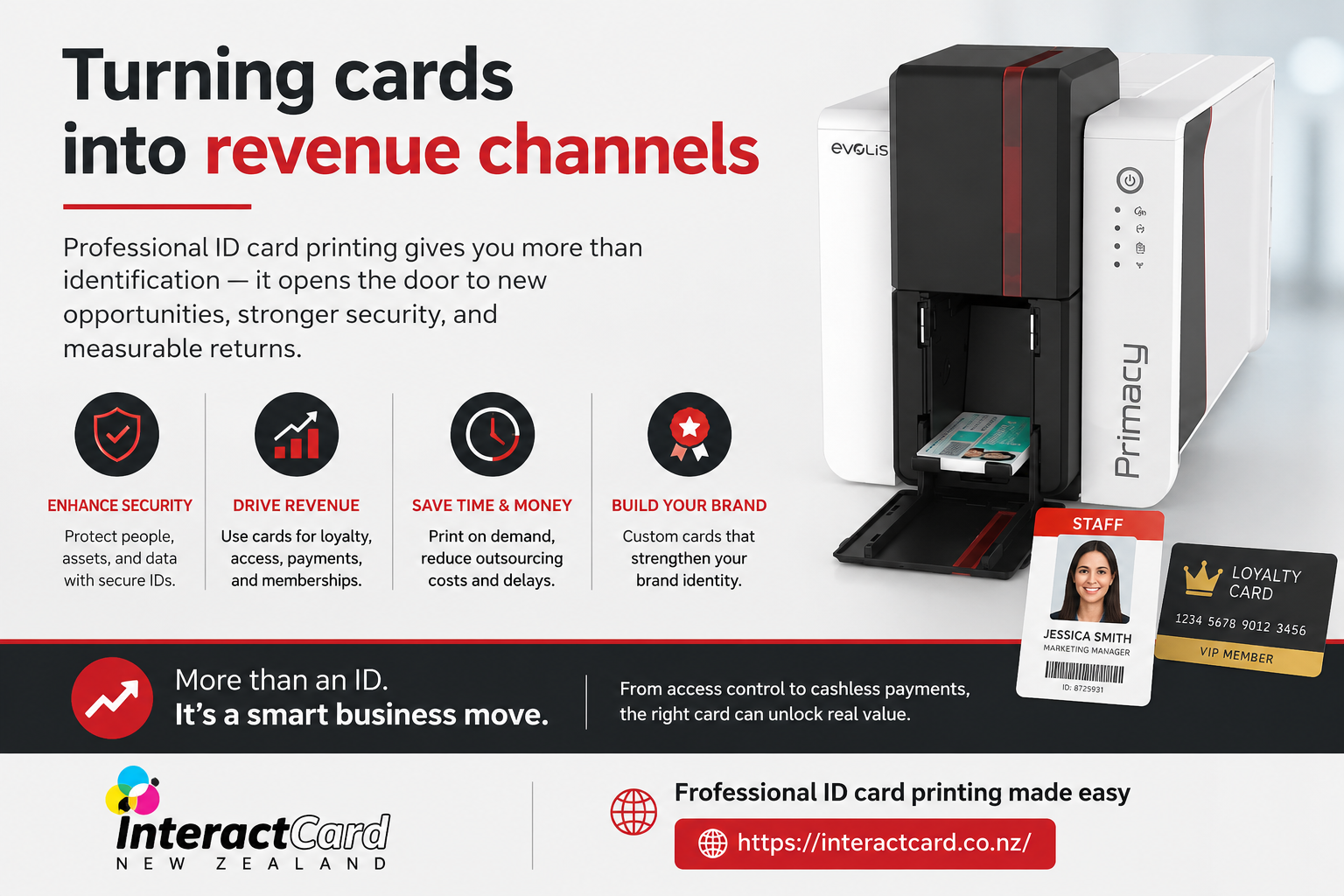
It is where a huge quality plastic card printer becomes essential. It ensures that every card reflects professionalism and durability. Turning cards into revenue channels Many businesses are now leveraging card printing as a direct or indirect revenue driver. Here is how.
ID Card Printer

ID Card Printer

  • Gift cards encourage repeat purchases and increase upfront revenue.
  • Membership cards offer exclusive benefits and recurring income
  • Loyalty cards boost customer retention and spending frequency
  • Access cards enable premium services and tiered pricing
Reliable card printers enable businesses to adapt their offerings and launch new programs without delays. Brand opportunities hidden in every card A card is a mini billboard that customers carry with them. Every detail contributes to brand perception, from colour to finish. Key branding elements include the following.
  • Logo placement and size
  • Typography and readability
  • Use of textures, matte, or gloss finishes
  • Inclusion of brand colours and patterns
Modern badge printers allow for high resolution printing. It ensures that branding remains sharp and impactful. Integration with digital systems One of the most exciting developments in card printing is its integration with digital technology. Cards are no longer standalone items. They are part of connected systems. The following are some examples.
  • Cards linked to mobile apps
  • QR codes for instant scanning and access
  • RFID enabled cards for contactless entry
  • Integration with CRM and attendance systems
A versatile plastic card printer ensures compatibility with these technologies. It makes it easier to bridge physical and digital experiences. Flexibility for changing business needs Businesses today need to be agile. It may be onboarding new employees or hosting events or launching promotions. Speed matters in all of these instances. In house card printing offers are as follows.
  • Immediate card issuance
  • Easy updates and reprints
  • Customisation for different departments or campaigns
  • Reduced dependency on external vendors
Efficient card printers help organisations to respond quickly to changing demands without compromising quality. Enhancing security through smart printing Security is a growing concern as access industries and cards play a key role in access control. Advanced features include the following.
  • Encrypted chips for secure data storage
  • UV printing for hidden verification marks
  • Biometric integration for high security environments
  • Unique serial numbers for tracking
High performance badge printers support these features. It helps organisations protect sensitive areas and information. Cost efficiency over time It often proves cost effective in the long run, while investing in a card printing setup may seem like a significant expense initially. Benefits include the following.
  • Lower per car printing costs
  • Elimination of outsourcing fees
  • Reduced turnaround times
  • Better control over inventory and usage
A dependable plastic card printer ensures consistent output. It reduces waste and reprints. Little Things That Have a Big Impact The tiniest details can sometimes make a card stand out from the crowd. Think about including the following.
  • Authentication with signature panels
  • Scratch off sections for promotions
  • Transparent components for contemporary designs
  • Durability enhancing embedded security layers
These improvements can greatly increase functionality and are simple to apply with the correct card printers. Getting Ready for the Future of Card Printing Innovation and adaptability are key to the future of card printing. The options also change as technology advances. Among the new trends are as follows.
  • Eco friendly card materials
  • Cloud based methods for managing cards
  • Kiosks for on demand printing
  • Hybrid cards that include several different technologies
Companies that purchase cutting edge badge printers now will be better equipped to implement these advancements later on. Final words Card printing is now a strategic asset that affects branding, security, and customer involvement in addition to being an operational necessity. Well designed and well printed cards have a wide range of effects, from facilitating easy access to producing unforgettable encounters. Interactcard NZ provides dependable card printers that are suited to contemporary business requirements for companies wishing to realise the full potential of card printing. Interactcard NZ assists companies in turning basic cards into effective instruments for expansion and interaction with a strong emphasis on quality, innovation, and support.
ID Card Printer

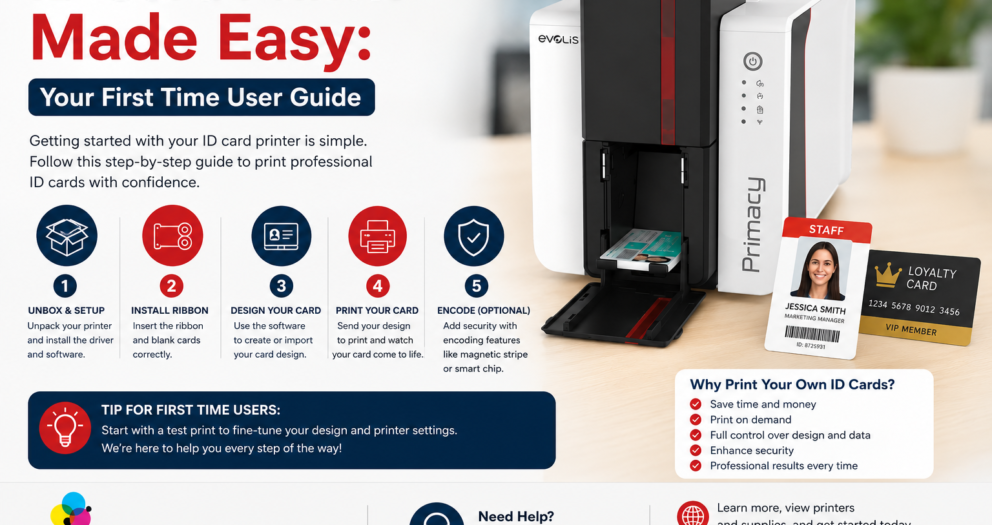
ID Card Printer Made Easy: Your First Time User Guide

You must have purchased an ID card printer? Unbox it, put it on your desk, plug in the cable, connect to Bluetooth and connect it to your computer. These printers come with some more advanced features like Ethernet, wifi on the printer and others. These are some useful points that customers must remember when they are starting to use an ID card printer. Once your printer gets connected to the computer, you have to install the driver on your computer. It helps recognise the printer and allows you to print the document. There is also a CD RCM inside the box that you can use. However, the best option is to visit the official site of the manufacturer, check for the manual and download the latest version of the driver. This will keep your printer up to date with all the latest and advanced features.

Take proper care of the printer head.

The printer head is the most expensive part of the printer. It might seem easy to replace it. But do it carefully, as it is also very precious. We have seen that there are two ways that users follow, which can damage the printer head.
  • The first option is to use pre-punched cards. You might think of saving your time. But it is not a good way to use the printer in that way. The ID card printers are thermal printers. So, whenever the plastic ID card moves under the printer head, the heat burns the colour into the plastic. And whenever the print head passes over the punch hole in the card, it can get scratched and, in turn, get damaged. If you pass a finger over the punch hole, you can also feel the bump in the plastic. So, when those bumps start hitting the printer head, it damages the head badly. Make sure to punch your card after printing it. This will help you save a lot of money.
 
  • The second concern is opening the cover of the identity card printer. When you keep the cover open for whatever reason, the printer head gets exposed. So, be careful whenever you are changing the printer ribbon. You should not hit the head with the plastic parts. This is one of the most common ways to damage the printer. So be careful.
So whenever you are printing the ID cards, if you see a long white line across the design, either your printer head is very dirty, or it is damaged. First, try to clean the printer or the printer head properly and try again. If you still see white lines, you should contact the manufacturer.

Clean your Printer Regularly

Once you have completed printing 500 cards, you must clean your printer at least once. By doing a regular printer cleanup, you extend the warranty of the printer and also enhance its lifespan. The thermal printers create residue from the ribbon that sticks on the printer head and can significantly lower the quality of the printing cards. Sometimes, the residues also go inside the roller that moves the card inside the printer. If you clean the printer properly, it will clean all the parts of the printer. There are usually three steps that are involved in cleaning a badge printer. So, before you start cleaning the printer, you should remove all the cards and the ribbon from the feeder.
  • Use a cleaning card. It mostly looks like a CR80 card but is made up of cartons instead of plastic and is moistened with alcohol.
  • Use a pencil or a swab to clean the printer head properly.
  • Based on your printer, you might also need to replace the cleaning roller and wipe it with a cloth.
Every printer is made differently. So, whenever you are cleaning a printer, you have to check the guide of the respective printer to clean it properly.

What should you consider while choosing the best ID card printer?

Selecting a printer can be a challenge because there are a myriad of options available in the market. A reliable ID card printer will always help you to keep your business running properly and prevent any hassle. Whether your business is printing 5 cards daily or 100 cards daily, the requirements for printing the cards will always be the same. However, an ideal ID card printer will always print high-quality cards, effectively and efficiently. So, here are some factors you must consider while choosing your ID card printer.
  • Card printing volume.
  • Card appearance requirements.
  • Type of printing.
  • Frequency of printing.

Conclusion

A printer might look like an easy thing to handle. But a slight mistake while maintaining them can damage the printer. So, make sure to take proper care of the printer. Also, you should select a reliable printer for your business needs. Whenever you go to buy one, consider a few factors that will help you buy the printer. If you are looking for a name badge printer machine, you can reach out to Interact Card and find your choice.
card printers

Modern organizations creating access with card printers

The world is driven by digital systems. Physical identification still plays a crucial role. Printed cards still remain essential across industries from controlled access to brand credibility. It is where card printers quietly power daily operations and create secure as well as professional and instantly recognisable industries. A plastic card printer is built for durability and precision along with repeated use which is unlike standard office printers. It transforms blank plastic into functional ID tools that support safety and organization as well as accountability.

The real purpose of badge printers beyond identification

badge printers seem to exist only for names and photos at first glance. They serve a much larger purpose which is operational control in reality. Badge printers help organizations manage who belongs where and when. A printed badge can indicate clearance level and visitor status or department role or access rights. The visual clarity reduces confusion and strengthens security without verbal checks in environments like offices and hospitals as well as schools and events. Printed badges also establish professionalism. A clean and uniform badge signals legitimacy which is something digital possesses alone cannot always provide.

Why plastic cards became the industry standard

Paper based IDs wear out quickly and are easy to tamper with. Plastic cards solve these problems. A dedicated printer for plastic cards produces IDs that are water resistant and long lasting as well as compatible with access technologies like barcodes and magnetic stripes. These cards survive daily handling which makes them ideal for environments where IDs are worn or scanned or wiped repeatedly. Plastic cards also allow constant bartending. Logos and colours along with layouts remain sharp. It reinforces brand identity alongside functionality.

Understanding the role of an ID card printer in daily operations

An ID card printer is not just a device. It is a workflow tool. It enables instant issuance of credentials which reduces delays and reliance on third party suppliers. In house painting allows immediate action when a new employee joins or a visitor arrives or a card is lost. The responsiveness improves efficiency and reduces security gaps which are caused by temporary or shared credentials. ID card printers also support scalability for growing organizations. Cards can be issued in controlled batches without renegotiating external printing contracts as teams expand.

Different types of card printers and their use cases

Not all card printers serve the same purpose. Understanding the categories helps generations choose wisely.
  • Entry level card printers focus on simplicity and low volume printing. It is ideal for small offices or schools.
  • Mid range badge printers balance speed and quality for regular daily use.
  • advanced ID card printers support encoding and higher volumes for complex access systems.
The key is matching printer capability with actual usage and not future assumptions.

How inhouse card printing improves security

Security is not only about locks and systems. It is about visibility. Clear identification reduces impersonation and unauthorized access. Organizations maintain full control over design and issuance as well as replacement with inhouse card printers. Cards can include photos and celebrity dates as well as role indicators which makes misuse immediately noticeable. Badge printers also allow fast deactivation and replacement. It is crucial when cards are list or roles change.

Using Smart Printing to Reduce Costs

Although outsourcing card printing could initially appear more affordable, there are additional hidden expenses. Flexibility is diminished by setup costs, minimum order numbers, and lengthy turnaround times. Businesses can print only what they need, when they need it, with an internal plastic card printer. By doing this, waste is decreased and overordering is avoided. Better cost management and operational independence are the long-term outcomes of instantaneous reprinting and avoiding third-party delays.

The Current Uses of Card Printers

Corporate offices are no longer the only places where card printers are used. These days, their uses include:
  • Universities and schools
  • Clinics and hospitals
  • Conferences and events
  • Membership organizations and gyms
  • Storage facilities and industrial locations
In each instance, the card acts as a functional tool—granting access, monitoring presence, or bolstering authority—as well as a means of identity.

Creating Cards That Are Effective

A well-designed card strikes a balance between durability and clarity. Poor color contrast impairs vision, and crowded layouts make it harder to read. Easy-to-read cards are produced by efficient badge printers. Everyday interactions and security checks are enhanced by clear photographs, readable names, and logical information arrangement. Good design is functional as well as aesthetically pleasing.

Final words

Card printers are now considered infrastructure rather than optional tools. These devices influence how businesses run and safeguard their areas, from plastic card printers that uphold professionalism to badge printers that control access. A well-printed ID card is all it takes to empower teams, improve security, and provide control. Interactcard NZ is a reputable supplier of expert card printing services. It assists businesses in producing safe and high-quality ID cards quickly through its id card printer. It preserves control and consistency as well as confidence in each print.
card printers

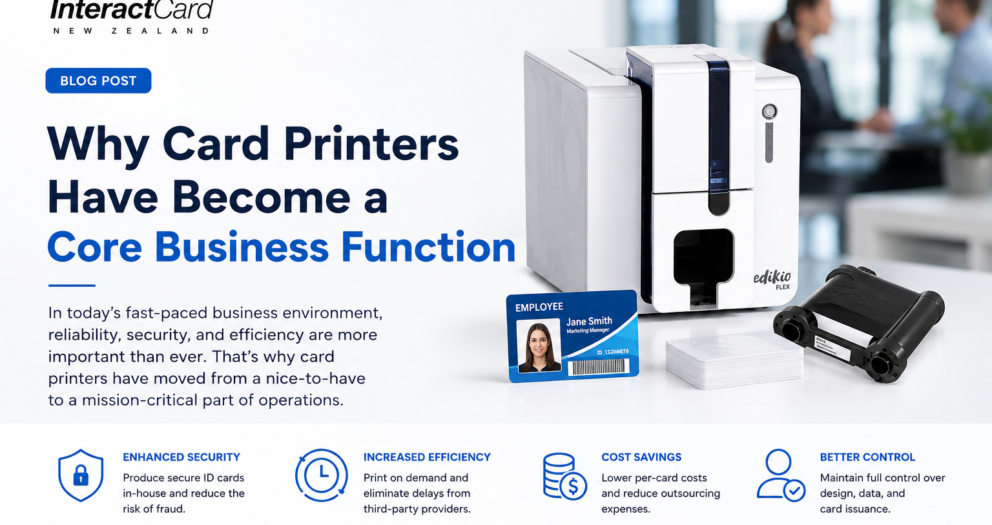
Why card printers has become a core business function

Identity with aces and visual consistency are no longer secondary concerns in modern organizations. Employee onboarding to customer facing interactions required reprinted cards, which play a silent yet powerful role. This is why businesses are increasingly investing in dedicated card printers instead of treating running as an occasional task.

The shift from paper credentials to durable identity systems

Paper passes, and handwritten badges rapidly become obsolete. They fade and tear as well as compromise severity. Plastic cards provide durability with professionalism and lasting usability. Businesses now view printed cards as part of their operational infrastructure rather than memory tools. It drives demand for specialized card printing equipment.

Badge printers and workplace identity

Badge printers help establish visual hierarchy and trust in offices and events, as well as healthcare facilities and schools. A well designed badge instantly communicates identity with role and authorization. Badge printers allow organizations to issue credentials instantly. It reduces wait times and improves visitor and employee management.

Why routers for plastic cards are a long term investment

A printer for plastic cards supports more than just ID creation. It enables businesses to produce membership cards and loyalty cards as well as access cards and visitor passes in house. The flexibility reduces outsourcing costs and allows organizations to respond immediately to operational changes such as new hires or temporary access needs.

ID card printers and security control

An ID card printer plays a direct role in security. Clear photos with accurate data and consistent layouts make verification easier for staff and security teams. Some systems also support encoding features by adding an extra layer of protection. On demand printing ensures lost or damaged cards can be replaced without delays.

Speed and control in daily operations

Outsourcing card production often leads to delays and inconsistent quality. In house printing restores control. Dedicated printers enable businesses to issue cards within minutes. It helps them manage design updates instantly and maintain uniform standards across departments or locations. The seed directly improves workflow efficiency.

Design consistency builds brand trust.

Cards and badges are brand touchpoints. Poor quality can undermine professionalism. Sharp and consistent cards reinforce brand identity. Modern card printers support high resolution output. They ensure logos and colours, as well as text, align perfectly with brand guidelines. scalability for growing organizations Small businesses may start with low volume printing. But growth often increases demand. The present card printing solutions are scalable. It allows organizations to expand output without replacing entire systems. It makes specialized printers suitable for startups and large enterprises.

Usability for Non Technical Teams

Usability is a key consideration in the design of contemporary ID card and badge printers. Administrative staff can handle printing without technical knowledge thanks to intuitive software, pre made templates, and straightforward workflows. This enhances operational independence and lessens dependency on IT personnel.

Sturdiness Compliant with Practical Use

Every day plastic cards are handled and subjected to friction as well as heat and moisture. Dedicated printers guarantee durable print quality and ink adherence. It is because of their endurance that cards are less likely to need to be replaced and are guaranteed to remain readable for the duration of their lives.

Professional Standards and Compliance

Visible identification is necessary for compliance and safety in many sectors. Clear credentials are essential in the construction, healthcare, education, and corporate sectors. Organizations can regularly and professionally satisfy these standards with the use of dependable card printing technologies.

Identity Systems That Are Future Proof

Card printing continues to be a fundamental component as data systems and access control develop. Physical cards still act as functional and visual identifiers despite digital integration. Purchasing high quality printers guarantees that companies are ready for both current and future demands.

Making the Correct Decision

Volume, application, and durability requirements determine which combination of card printers, badge printers, plastic card printers, and ID card printers is best. Businesses that choose purpose built solutions benefit from increased productivity, security, and long term cost savings.

How can printing quality transfer to every business interactions

Modern workplaces rely on speed, clarity and precision in every interaction. Id card printer now plays a subtle yet willful role in shaping these circumstances. Issuing employee IDs and creating polished visitor badges involves using card printers to reduce waiting time and manual errors. Bringing direction in house helps businesses gain control over security branding and workflow efficient while presenting a more organized and trustworthy image to staff, clients and visitors alike.

Final words

Interact Card NZ provides reliable card printing services tailored to your specific business needs. It helps businesses create safe, polished, and effective identity workflows with its top-notch printers, user-friendly systems, and reliable performance. Interact Card NZ stands out as a reliable partner in contemporary card printing for companies looking for dependability without complexity.
Card Printers

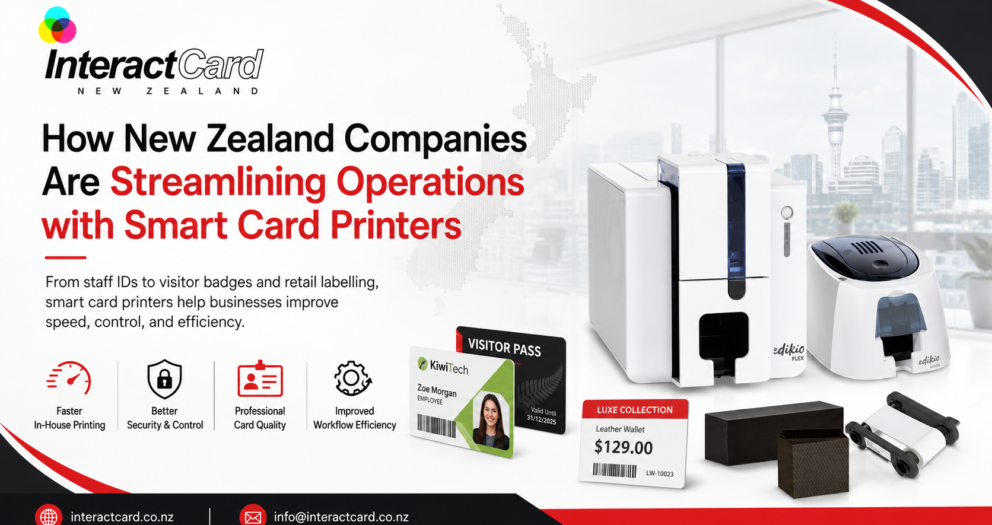
How New Zealand Companies Are Streamlining Operations with Smart Card Printers

In today’s fast-paced business landscape, efficiency and professionalism go hand in hand. Across New Zealand, companies are constantly exploring new ways to simplify daily operations, enhance security, and improve brand presentation. One increasingly popular solution is the adoption of smart card printers—compact, powerful machines that are transforming how businesses issue staff IDs, access cards, membership badges, and more. From small offices to large enterprises, these devices are becoming an essential part of modern workplace infrastructure. Let’s explore how New Zealand companies are streamlining operations with card printers, why they’re investing in this technology, and what benefits users are experiencing. What Are Smart Card Printers? A smart card printer is a specialized device that prints high-quality, professional-grade ID cards, access cards, and membership passes directly from a desktop or office environment. Unlike traditional printing services that require outsourcing, these printers allow organisations to instantly create custom cards in-house. This means you can issue staff IDs, visitor badges, or student cards on demand — saving both time and money. Modern card printers use advanced printing technologies such as dye-sublimation or retransfer printing to deliver crisp, durable results. Many also support encoding features for smart chips, magnetic stripes, or RFID technology, making them ideal for secure access management.

Why New Zealand Businesses Are Making the Shift

New Zealand companies across various industries — from education and healthcare to corporate offices and hospitality — are discovering the many advantages of having their own ID card printer. Here’s why:
  1. Greater Control and Flexibility
Outsourcing card printing can be slow and costly, especially when you need to make quick updates or replacements. By using an in-house card printer machine, businesses gain complete control over the process. You can print new cards instantly for new employees, visitors, or members, without waiting for an external supplier.
  1. Enhanced Security
Security has become a top priority for organisations in every sector. With smart card printers, companies can embed security features such as holograms, microtext, or encoded chips. This not only protects against counterfeiting but also ensures that only authorised personnel can access restricted areas.
  1. Cost Efficiency
At first glance, purchasing a card printer may seem like an investment. However, the long-term cost savings are significant. By reducing dependency on third-party services, businesses can print only what they need, when they need it — eliminating waste and high per-card costs.
  1. Consistency and Professionalism
A well-designed ID card reflects your brand’s professionalism. In-house printing allows you to maintain brand consistency by using the same logo, colours, and design across all employee IDs or membership cards. This subtle detail enhances brand identity and strengthens trust with clients and customers.

Key Benefits of Smart Card Printers for New Zealand Companies

Let’s take a closer look at how this technology is improving business operations in practical, measurable ways: Streamlined Onboarding When new staff join your organisation, having an ID card printer on-site ensures they receive their access cards on their first day. This simplifies onboarding and helps new employees feel immediately integrated into the workplace. Improved Access Management Smart cards can double as access passes for secure facilities, replacing manual sign-in systems. Integrating these cards with existing security infrastructure enhances efficiency while reducing administrative workloads. Membership and Loyalty Programs For gyms, clubs, and retail businesses, smart card printers allow for instant creation of branded membership or loyalty cards. This enhances customer engagement and builds brand loyalty — all while maintaining a professional look. Eco-Friendly and Sustainable Modern printers are increasingly energy-efficient and compatible with recyclable card materials. By managing production internally, companies can also reduce packaging waste associated with bulk outsourcing.

Real-World Applications Across Industries

The versatility of smart card printers makes them suitable for a wide range of New Zealand industries:
  • Corporate Offices: Instant ID and access card printing for employees and contractors.
  • Education: Student ID cards with built-in library and attendance functionality.
  • Healthcare: Staff badges with photo ID and smart chip access to patient records.
  • Retail & Hospitality: Loyalty, gift, and membership cards for customers.
  • Government & Local Councils: Secure identification for public officials and staff.
Each of these sectors benefits from improved efficiency, security, and control — all achieved through the convenience of on-demand card printing.

Choosing the Right Card Printer Machine

When selecting a card printer machine, consider your organisation’s needs and printing volume. Some key factors to evaluate include:
  • Print Type: Dye-sublimation for vivid colours or retransfer for high durability.
  • Encoding Options: Choose a printer that supports magnetic stripes, RFID, or smart chips if security is a priority.
  • Print Volume: Compact models are ideal for small offices, while industrial-grade printers handle higher volumes efficiently.
  • Ease of Use: Look for models with intuitive software, Wi-Fi connectivity, and minimal maintenance.
At Interact Card, we provide New Zealand businesses with a full range of card printers and printing supplies — from entry-level ID card printers to advanced, high-performance solutions. Our experts can help you choose the best model for your organisation’s size and goals.

Why In-House Card Printing Is the Future

The growing demand for ID card printers in Australia and New Zealand is more than just a passing trend — it’s part of a larger shift toward autonomy and efficiency in business operations. Companies are realising that the ability to manage identification and access control internally not only streamlines processes but also strengthens their brand, enhances security, and reduces operational costs. In the digital age, every second counts — and every detail matters. Having a secure and professional card printer in your office allows your team to operate more smoothly, respond faster, and project a professional image to staff and visitors alike.

Final Thoughts

For New Zealand organisations aiming to modernise their workflow and enhance workplace efficiency, investing in a smart card printer is a smart step forward. It’s a practical, future-ready solution that blends convenience, cost-effectiveness, and professionalism. At Interact Card, we’re proud to support Kiwi businesses in embracing technology that simplifies life — one card at a time.
card printers

Your trusted partner for secure and professional card printers

Ever wondered how businesses or schools, or events, create professional ID cards along with access badges or membership cards with such precision? The answer lies in card printers. They are compact yet powerful machines designed to deliver high quality, along with customized cards in minutes.  You may need magnetic stripe cards for security or smart cards for data storage, or simple photo IDs. Card printers make the process fast as well as efficient, and professional. They do not just print. They help organizations boost security, add branding, and provide convenience at all times. Ready to explore why card printers are becoming essential tools for modern businesses, as well as institutions? Let us dive into their world together.

What are card printers?

Card printers are socialized devices that are designed to print high-quality identification as well as access and membership cards. They did not eat like regular printers. These machines are built to handle PVC or plastic card surfaces with precision, aligned to ensure professional results every time. They are widely used in businesses, as well as in schools or government offices, and healthcare, and are even used in events to issue secure alignments with custom cards instantly.  They can send barcodes as well as print employee photos. These printers simplify card creation while maintaining durability. They eliminate the need for outsourcing, which saves time as well as cost. They are not just machines; they are vital tools that empower organizations to maintain security, along with professionalism and efficiency in one go. Interact Card offers a wide range of card printers. Some of our paper choices are as follows.
  • Zenius ID Card Printer
  • Primary 2 ID Card Printer
  • Edikio Price Tage Printer
  • Eviolis Card Printers

Key features

Card printers bring advanced features that make them indispensable. These features are as follows.
  • High resolution printing is one feature that enables delivering crisp text along with sharp logos and clear photos.
  • Durability is the next feature that helps in designing for producing lasting cards that are resistant to wear and tear.
  • Encoding options offer the ability to add barcodes to magnetic stripes or chips.
  • Customisation enables printing cards that are tailored with names, along with images or security elements.
  • Fast pulpit helps in crying multiple cards in just minutes, which are perfect for busy organizations
  • Compact designs enable easy installation as well as operation in offices or institutions.
These features ensure businesses can meet both branding as well as security requirements with ease.

Benefits of using plastic card printers

When you own a plastic card printer, the following are some of the major benefits.
  • You can print on demand, which helps create cards instantly when needed.
  • Cost savings are also possible because you can avoid outsourcing expenses for every batch.
  • Enhanced security, as you can print in-house to reduce the risks of card duplication.
  • Professional branding enables adding logos along with colors and designs for a polished look.
  • Flexibility enables producing employee IDs along with visitor passes or loyalty cards in one system.
  • Convince involves management of card issuance directly without any third-party delays.
These benefits highlight why card printers are not just tools but smart investments for originating seeking efficiency along with control.

How do card printers work?

Card printers combine advanced printing technology with encoding options to produce secure as well durable cards. Here is who they typically work with.
  • Card input involves feeding the machine with blank PVC or plastic cards
  • The designing process consists of the printer reading card designs from specialized software.
  • Thermal transfer printing requires heat to transfer the ink onto the card for high-quality results.
  • Encoding can be an optional step
  • Output is the last step where the finished card is dispensed and ready for use.
This process ensures that every card is professional in appearance and is also secure, along with being functional for multiple applications.

Why choose Interact Card?

Choosing the right provider makes a huge difference when it comes to card printers. We do not just deliver machines. Interact Card provides solutions that empower businesses. Our range caters to every need. You will enjoy expert guidance, along with installation support and after-sales services with us that ensure smooth operations.  Our printers are designed to combine speed with security and customization. Thus, our products offer your organization a professional edge. We provide the tools to issue employee IDs or access cards, or customer loyalty cards, seamlessly. Choose us as your trusted partner for card printers, along with bridging efficiency and branding with security under one solution. 

Final words

Efficiency, along with professionalism, in the present fast-moving world, is the key. An ID card printer helps serve both. They are more than machines. They are gateways to improved security, along with stronger branding and streamlined operations. Reach out to Interact Card to opt for the best.
Back to Top

Product Enquiry

Product has been added to your cart